
Case studyConstruction & Facility ServicesMD Betosave, Hamburg
Website for construction and facility services
For MD Betosave in Hamburg: two business divisions, 24 service pages and an inquiry with photo upload in one system that takes visitors to a quote in five steps.
No obligation15 minutesReply by email or call
Starting point
One company, two audiences.
MD Betosave is a newly founded specialist company in Hamburg with two clearly separated divisions. One repairs, seals and coats concrete. The other looks after properties in day-to-day operation, from caretaking to winter services.
Someone who needs an underground garage renovated is looking for something different than a property manager who needs cleaning. The website had to address both correctly from the first screen and deliver inquiries that can be assessed without follow-up questions.
Two divisions, one website
A clear split between construction work and facility services, without maintaining two websites.
Making 24 services findable
Every service has its own page, targeted locally at Hamburg and the surrounding area.
Trust for a young company
Real site photos, the company’s own team and a transparent process instead of stock images.
Inquiries with substance
Photos, plans and the property address arrive with the very first message.
In detail
Three building blocks that
turn visitors into inquiries.

Specification
- Entry
- Split screen with video
- Color schemes
- Anthracite & green
- Decision
- 1 click
Building block 01
Two worlds,
one entry point.
The homepage asks exactly one question: construction work or facility services? Two video panels in anthracite and green split the screen. One click leads into the right division, and its color scheme carries through to the form.
Specification
- Flow
- 5 steps with progress
- Upload
- Photos, plans, PDF
- Prefilled
- Division & location
Building block 02
Inquiries that already
bring everything along.
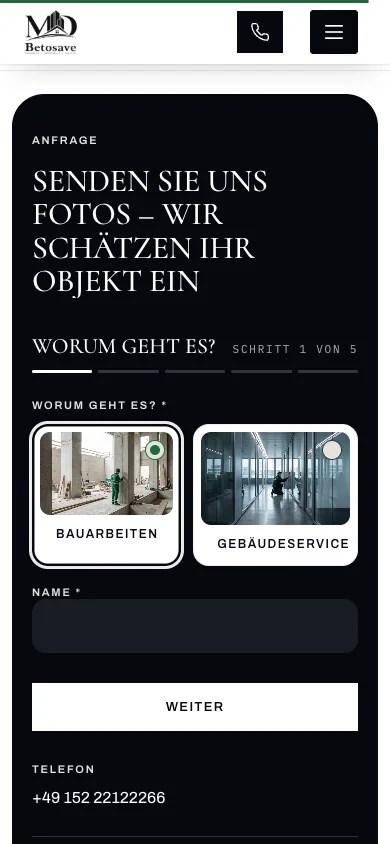
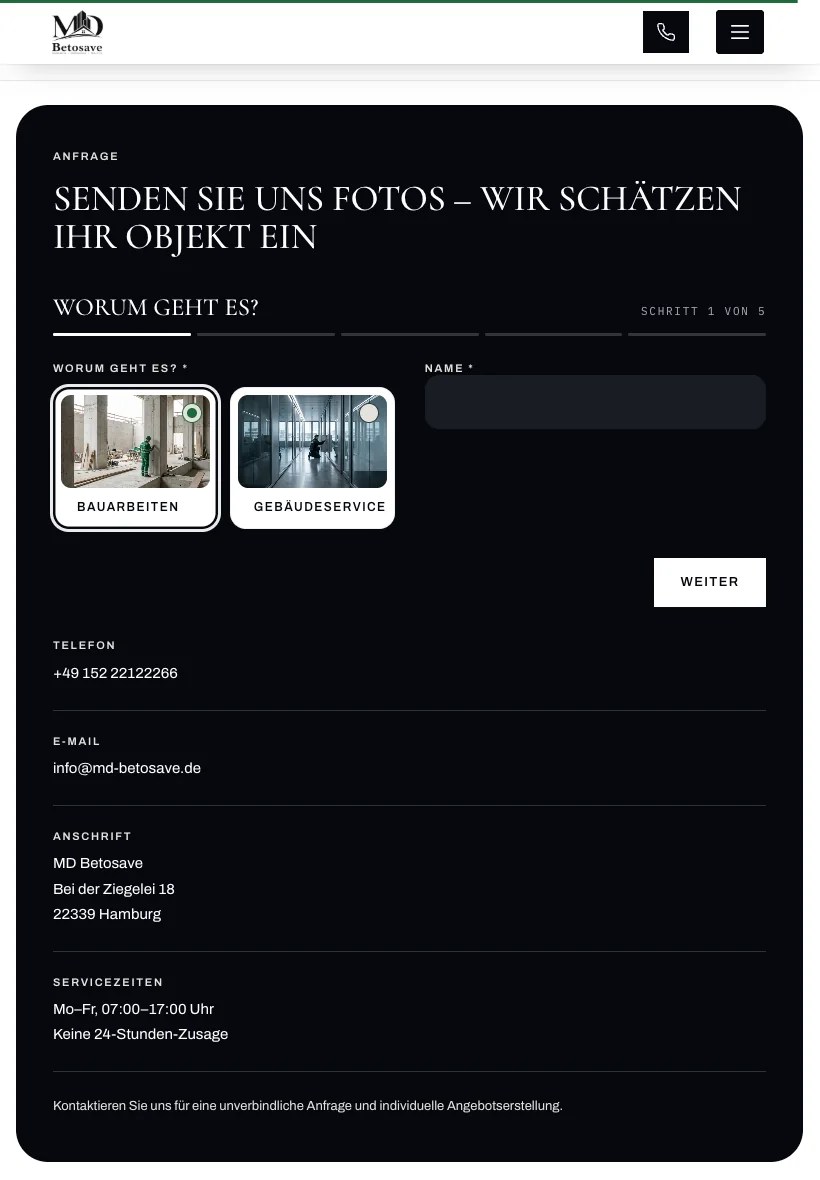
In five short steps the form asks for what an assessment needs: division, service, property address, photos and plans. Anyone who clicks a location in the service area first will find it already filled in.

Specification
- Scope
- 15 construction · 9 facility
- Landing pages
- One per service
- Alternative
- List view
Building block 03
24 services,
instantly tangible.
Instead of a long list, a circle arranges the fifteen construction services around a center. Each icon opens the details and leads to its own service page. Further down, seven damage patterns translate visible damage into the matching service.
Responsive
One website,
three devices.
Desktop, iPad and smartphone show the same content, each in its own layout. On the smartphone the two divisions stack, the navigation becomes a menu and a call is always one tap away.


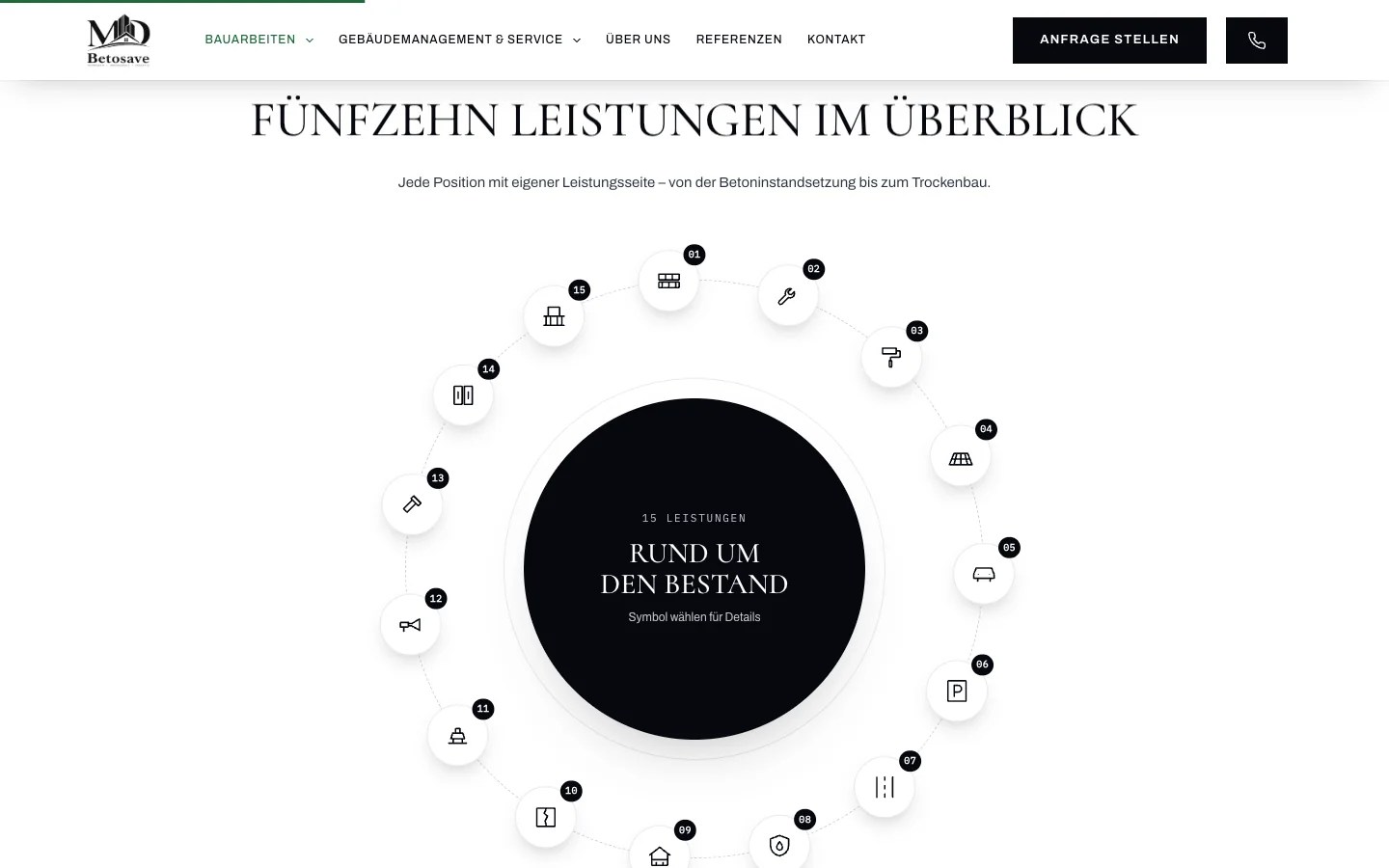

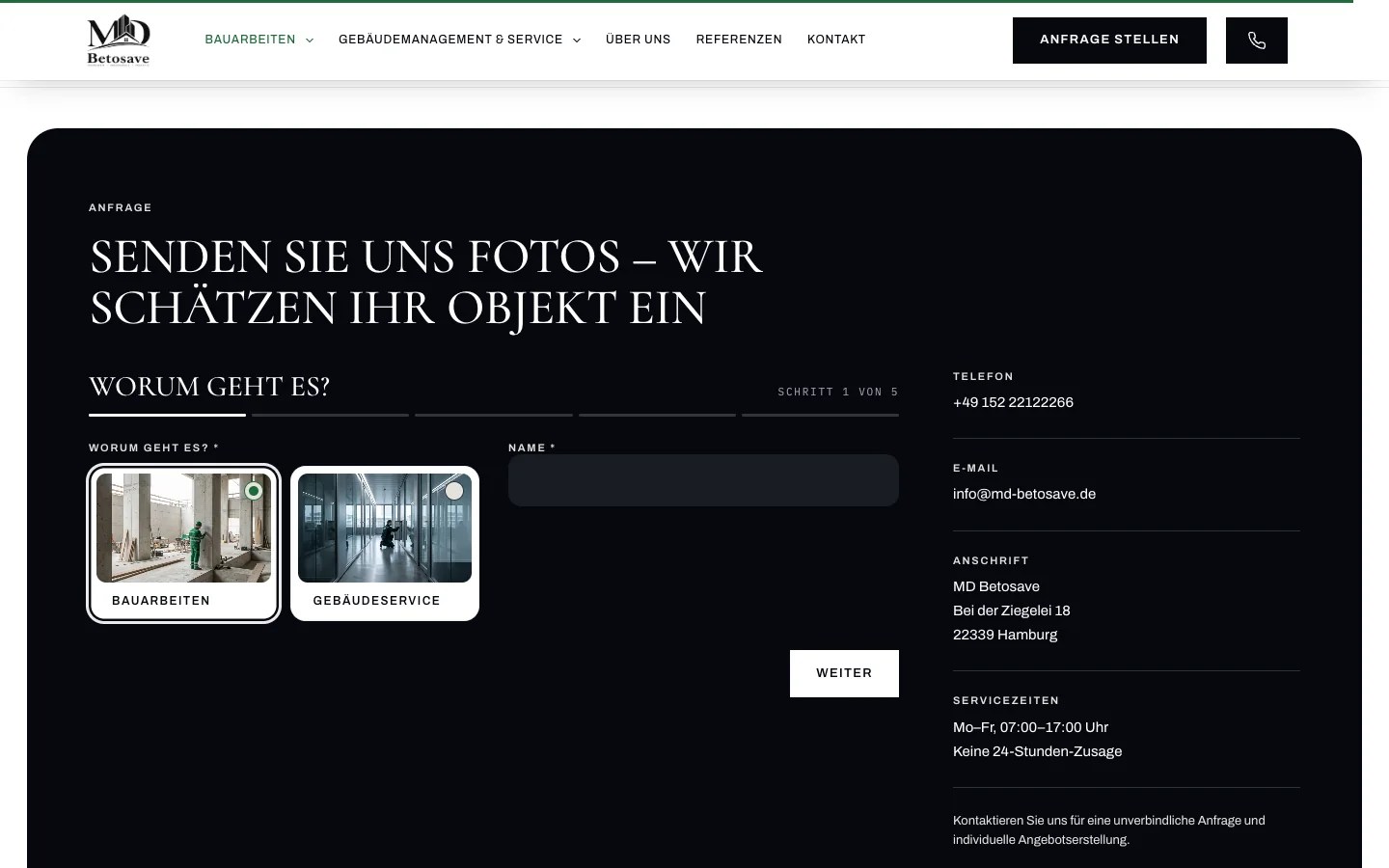
- Desktop 1440 px, divisions side by side
- iPad 820 px, portrait
- Smartphone 390 px, divisions stacked
The sections
Every section takes you
one step further.
From the entry point through services and working method to the inquiry, every level answers a question that comes up before a job is awarded.
- EntryView 01
Division choice
Two video panels, one decision: construction work or facility services.
 HeroView 02
Hero with rotating images
Five images, a rotating promise and two clear actions: send an inquiry or view the services.
- ServicesView 03
Service orbit
Fifteen services in a circle, each with its own page and a list view as an alternative.
 OrientationView 04
Damage patterns
Seven typical types of damage, each linked to the service that fixes it.
 InsightsView 05
Project impressions
Twelve photos straight from active construction sites, as a gallery to browse.
 ProcessView 06
How we work
Five steps from inquiry to handover, accompanied by on-site images as you scroll.
 RegionView 07
Service area
Fourteen locations around Hamburg. One click carries the location over into the inquiry.
 InquiryView 08
Inquiry in five steps
Choose a division, describe the property, upload photos and plans.
01 / 08
The solution
One system,
three levels.
Each level takes one decision off the visitor’s hands and brings them a step closer to the inquiry.
Division choice & navigation
A split entry point, two color schemes and a navigation grouped by division with all services.
Effect
In the right division after one click
Services & damage patterns
24 service pages, reachable via the orbit, a list and seven damage patterns that lead from the problem to the service.
Effect
From visible damage to the matching service
Inquiry with photo upload
Five steps, upload for photos, plans and PDFs, with division and location already prefilled.
Effect
An assessment without follow-up questions
Which building blocks does your business need? We will show you in 15 minutes.
Request an intro callFine-tuning
Details that
hold attention.
Attention is won in the small things. These details make sure visitors keep reading, find their way and never have to look for the path to the inquiry.
Moving images at the entry
Two calm video loops show the team at work before a single word has been read.
A rotating promise
In the hero the commitment below the headline rotates, for example “finished on schedule” and “within budget”.
Ticker with trust signals
Own team, on-site inspection, non-binding quote: the core arguments stay in motion.
Progress bar while scrolling
A green line at the top edge shows how far down the page you are.
Inquiry always within reach
The header becomes compact on scroll and keeps “Send an inquiry” and the phone button in view.
A process that scrolls along
The five work steps stay in place while the images and the active step change as you scroll.
Typography with character
Cormorant for headlines, Archivo for body text, IBM Plex Mono for labels and counters.
Calm motion
Smooth scrolling and subtle reveals with GSAP and Lenis, with fonts and scripts hosted locally.
Process
From briefing to
launch in four phases.
Iterative, in sprints, with feedback after every phase. Typical project duration: 5 to 8 weeks.
Phase 01
UI/UX strategy
Two audiences, two paths: owners who need renovation work and property managers who need ongoing care. The site architecture separates the two from the first screen.
Phase 02
High-fidelity interface design
Two color schemes, anthracite for construction and green for facility services, with large-format site photography and a type hierarchy of Cormorant, Archivo and IBM Plex Mono.

Phase 03
Interactive prototyping
Division choice, service orbit and inquiry flow are tested as a clickable prototype before a single line of code is written.
Phase 04
Front-end development
WordPress with dedicated service pages for each division. GSAP, ScrollTrigger and Lenis provide calm, high-quality motion and, like all fonts, are hosted locally.
Scope of work
What the project
included.
A complete website from a single source: from the strategy for two divisions to the inquiry flow.
- UX strategy for two divisions
- Custom interface design
- WordPress implementation
- 24 service pages
- 5-step inquiry with upload
- Service area with location prefill
- Gallery & project impressions
- Local SEO foundation for Hamburg
- Desktop, iPad & smartphone
- Locally hosted fonts & consent
Technology WordPress · GSAP · ScrollTrigger · Lenis · Cormorant · Archivo · IBM Plex Mono
FAQ
Frequently asked questions
How much does a website for a construction company or trade business cost?
The investment depends on the scope: the number of service pages, the inquiry form, photo and video material and the SEO strategy. Kulimo only develops custom concepts and gives you a clear budget range in the intro call.
How do website visitors turn into inquiries?
Through short paths. At MD Betosave every section leads to the inquiry: the entry point sorts by division, damage patterns lead to the service, the service area hands over the location, and the form takes photos and plans right along with it.
How long does it take to develop a website for a trade business?
Typically five to eight weeks. The decisive factors are the number of pages, existing texts and images and the feedback rounds after each phase.
Which technologies does Kulimo use?
For this project WordPress, plus GSAP with ScrollTrigger and Lenis for animations and smooth scrolling. Fonts and scripts are hosted on the company’s own server and are not loaded from third parties.
Is this worthwhile for smaller businesses too?
Yes. The scope grows with the business. A clear entry point, a few well-made service pages and a form with photo upload are often enough to start and can be extended later.
More references
More from construction & trades.

Civil engineering & machinery
Civil engineering & machine rental

Door systems
ADL Tortechnik

Architecture & natural stone
Concrete & architecture

Smart repair
Smart repair & paint service
Service
Web design for construction, trades & service providers
Services, process and pricing for your company website at a glance.

Your project
Your business deserves
more inquiries.
In a free 15-minute intro call we clarify scope, timeline and investment. Afterwards you know exactly what your website needs.
- No obligation
- 15-minute call
- GDPR-compliant